
Never rewind to the wrong spot again.
Chloé Choreo turns any song into a clear dance choreography: drop a marker for every figure, build the matching formation right there and play the transitions – then hand it all to your group as a PDF or a practice link. Straight in the browser, on laptop, tablet and phone, controllable even from your smartwatch.
Music. Markers. Magic. ✨
Built for dance teachers
Constantly rewinding by hand while you teach – and overshooting or stopping short? That's over. Chloé Choreo takes you to exactly where the next figure begins, with a single tap. And it doesn't stop at the music: for every figure you record who stands where – as a formation whose transitions you can play back and share with your group.
Mark it, stage it, share it
The three things that make Chloé Choreo – plus everything that helps while you practice. Every feature shown straight from the app.
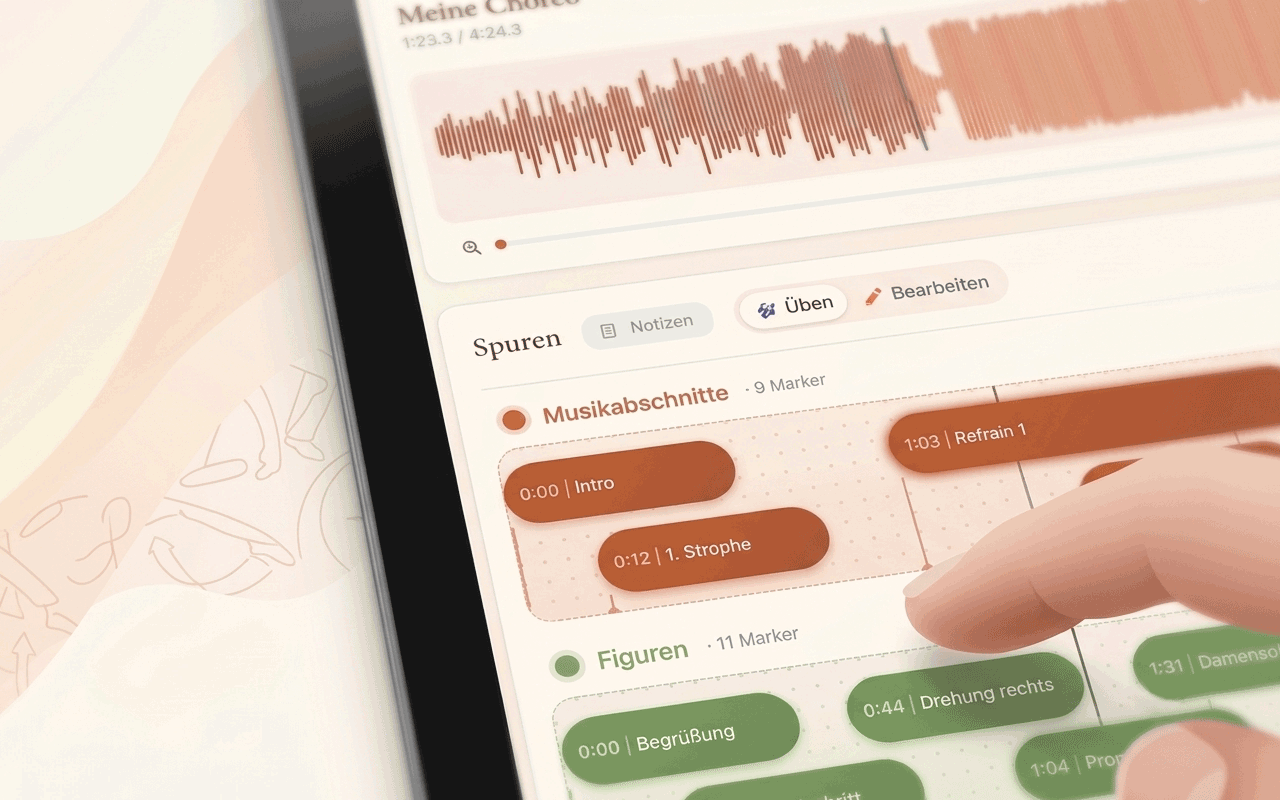
Markers at a tap
Drop named markers anywhere in the song and jump straight there with a tap – playing instantly, no scrubbing around. Entrance, turn or lift: every figure has its fixed place in the song and is only a tap away while you practice – even mid-class, when everyone is waiting for the music.
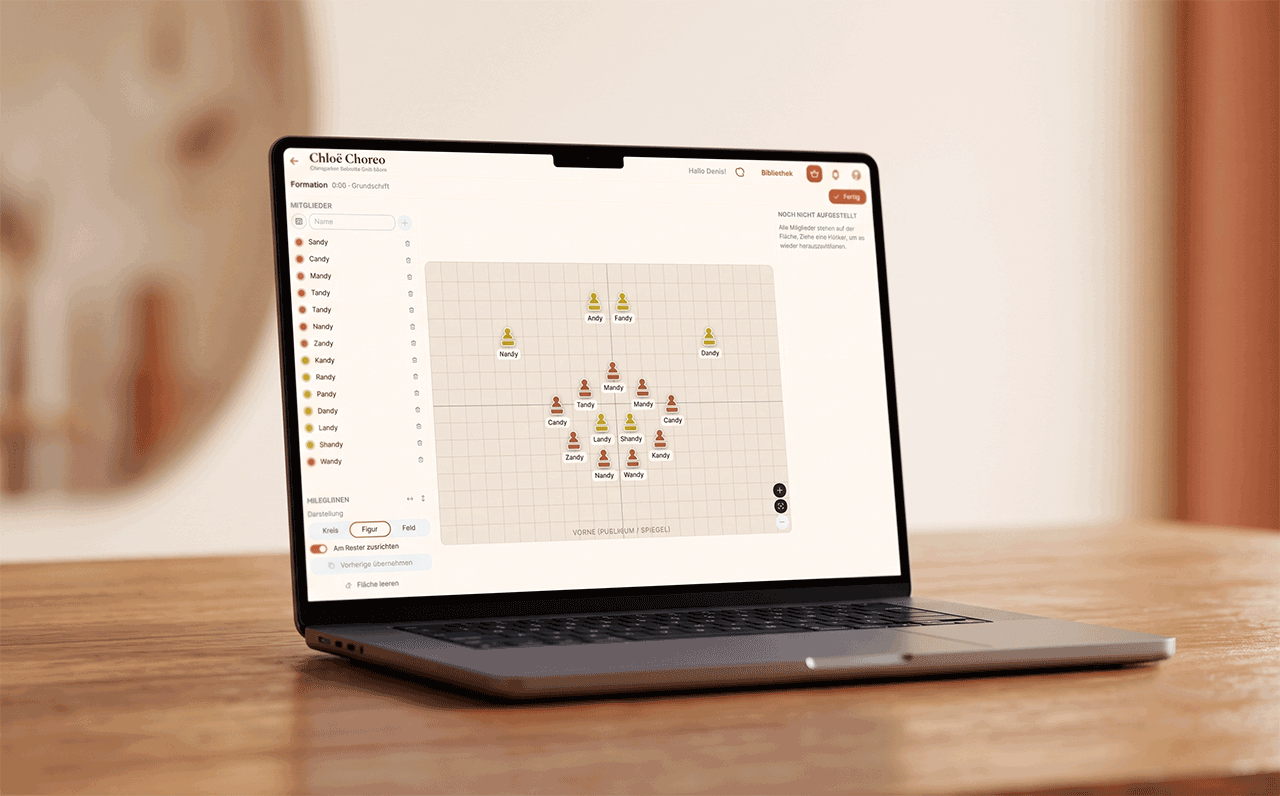
Stage formations – and play them
Set up your ensemble on a grid and drag each person to their spot – right at the point in the song where the figure applies. Lifts as a group, the stage edge and the mirror as guide lines. And then the moment that makes everything clear: play the transitions – each person glides to their new position in front of you, and whoever joins walks in from the side. You see the paths and the collisions before the group is standing in the studio. Every formation travels into the PDF and – if you like – into the practice link.
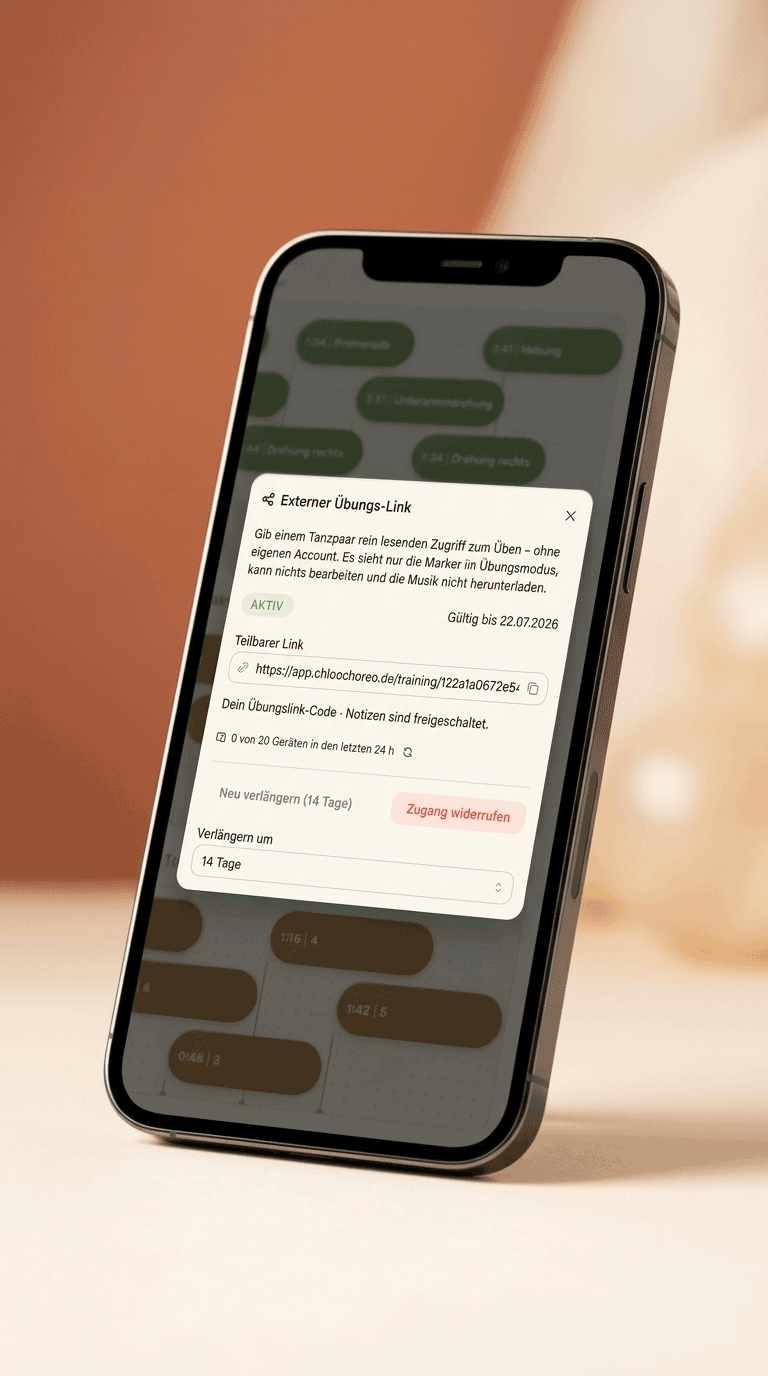
A practice link to share
Share a project as a read-only link – your dancers open it and practice at home, with no account of their own and nothing to install. There too they jump from figure to figure at a tap, see the notes and – if you release them – the formations with their transitions. And you stay in control: access is time-limited and can be extended or revoked at any time.
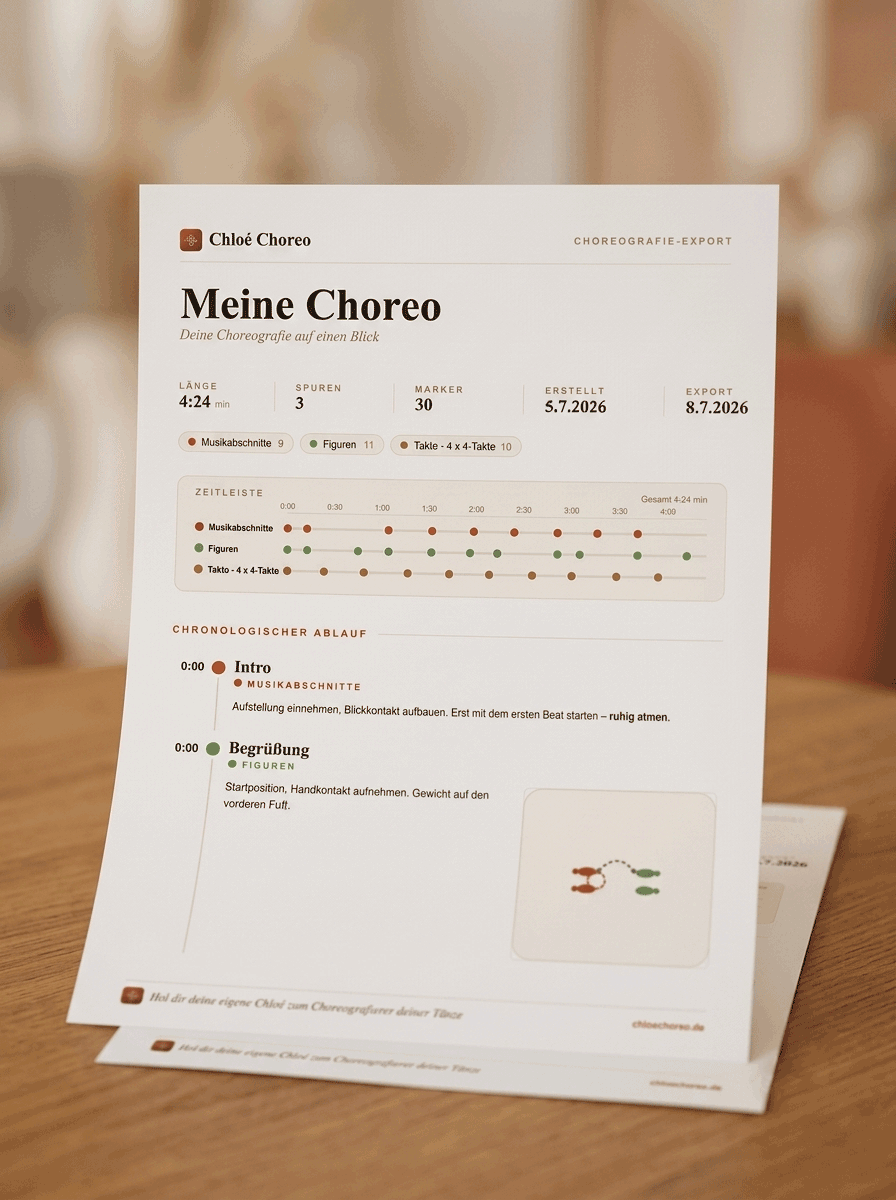
PDF export
Export the entire choreography as a beautifully designed PDF – either chronologically by time or split by track. Notes and images are included: ready to print for the studio or to hand to your dancers.
Notes & photos for every figure
Capture what matters at every marker: step sequences, posture, little reminders for the next class. Format the text with lists and headings and add photos straight from the lesson – everything stays saved at the exact spot in the song where it belongs.
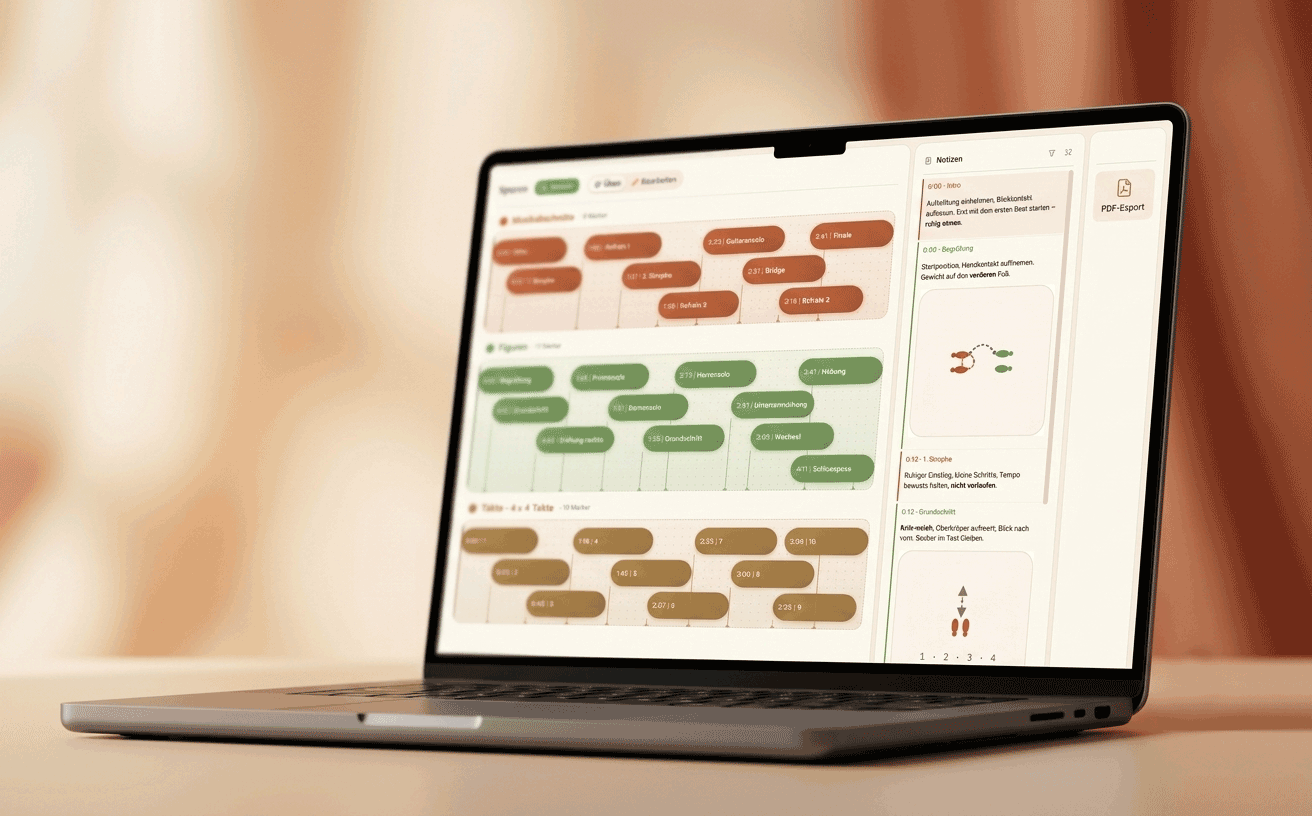
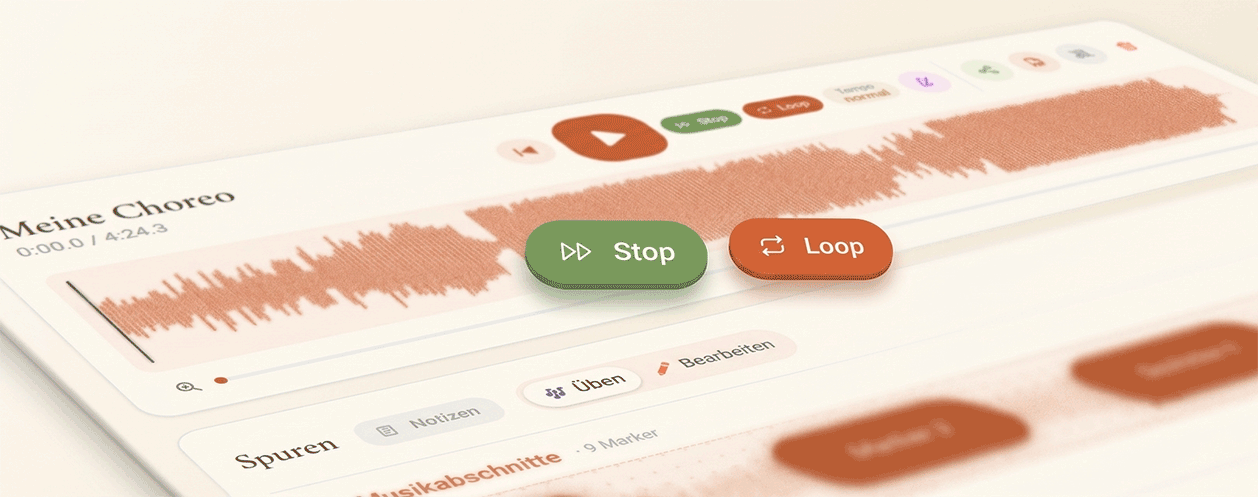
Stop at the next marker
Practice a single figure on repeat – playback stops automatically at the next marker on the track, as often as you like. And when a spot needs extra attention, Loop mode repeats the section endlessly – without tapping again each time.
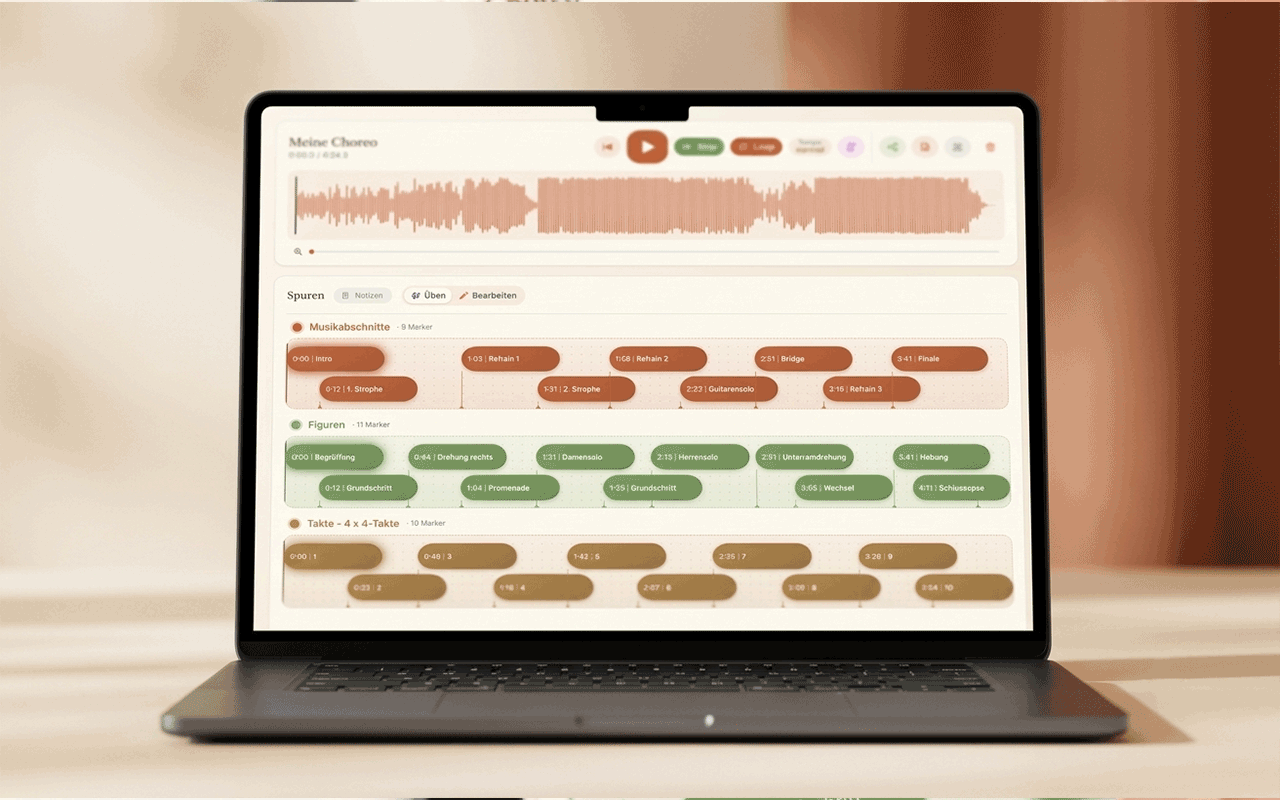
As many tracks as you like
Separate figures, counts and song sections into their own colored tracks – everything neatly stacked and in view. Each track gets its own color automatically, and even tightly placed markers line up cleanly – so even a complex choreography stays readable.
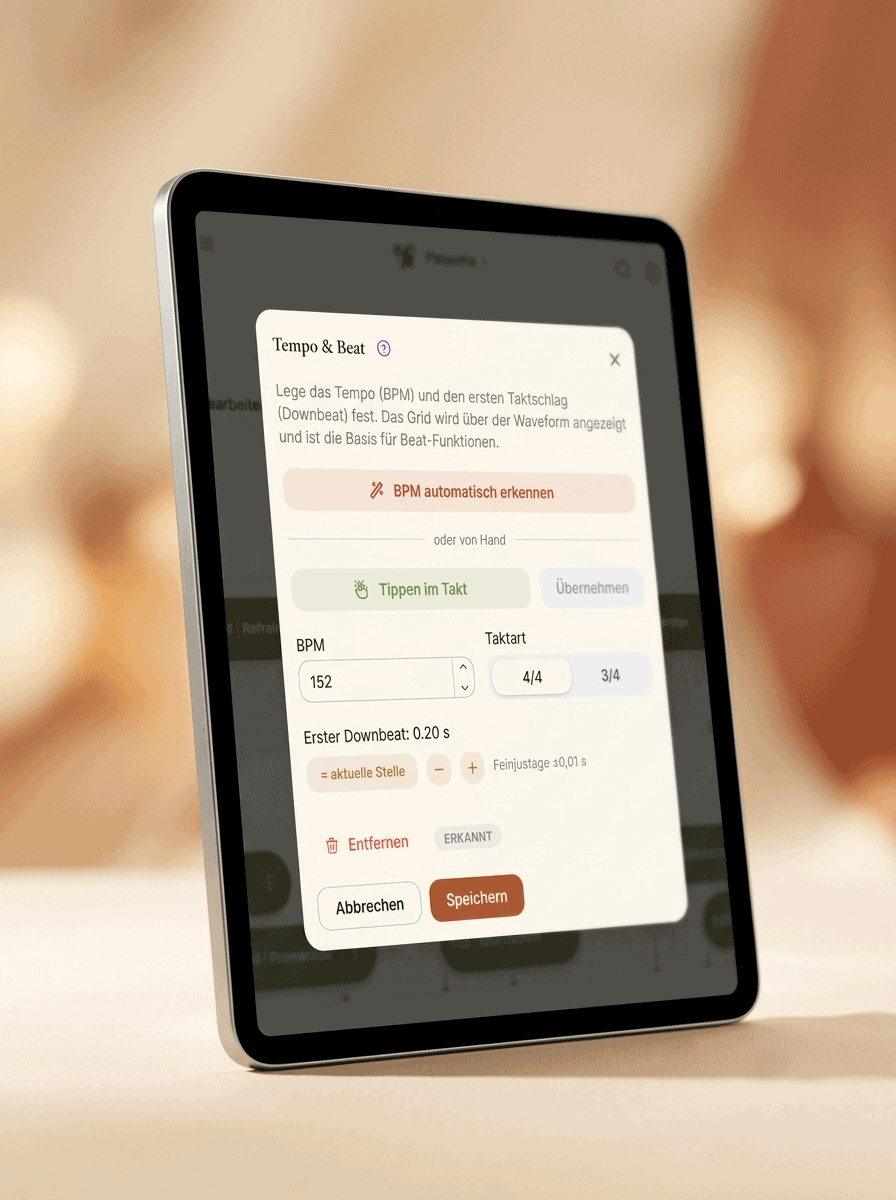
Tempo & metronome
The app detects your song's beat automatically and can click along with a metronome – perfect for counting in. Or just tap the tempo in time yourself. The metronome accents every downbeat, and if you only want to count, simply mute the music.
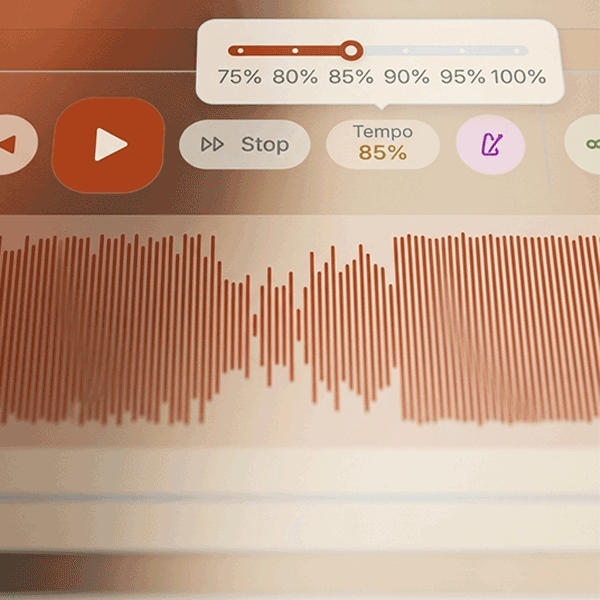
Practice in slow motion
Dial the tempo down steplessly and practice tricky spots slowly – the pitch stays natural, the music never sounds distorted. Markers, stop and loop work in slow motion too: break fast passages down calmly and raise the tempo step by step until every move lands.
Smartwatch control
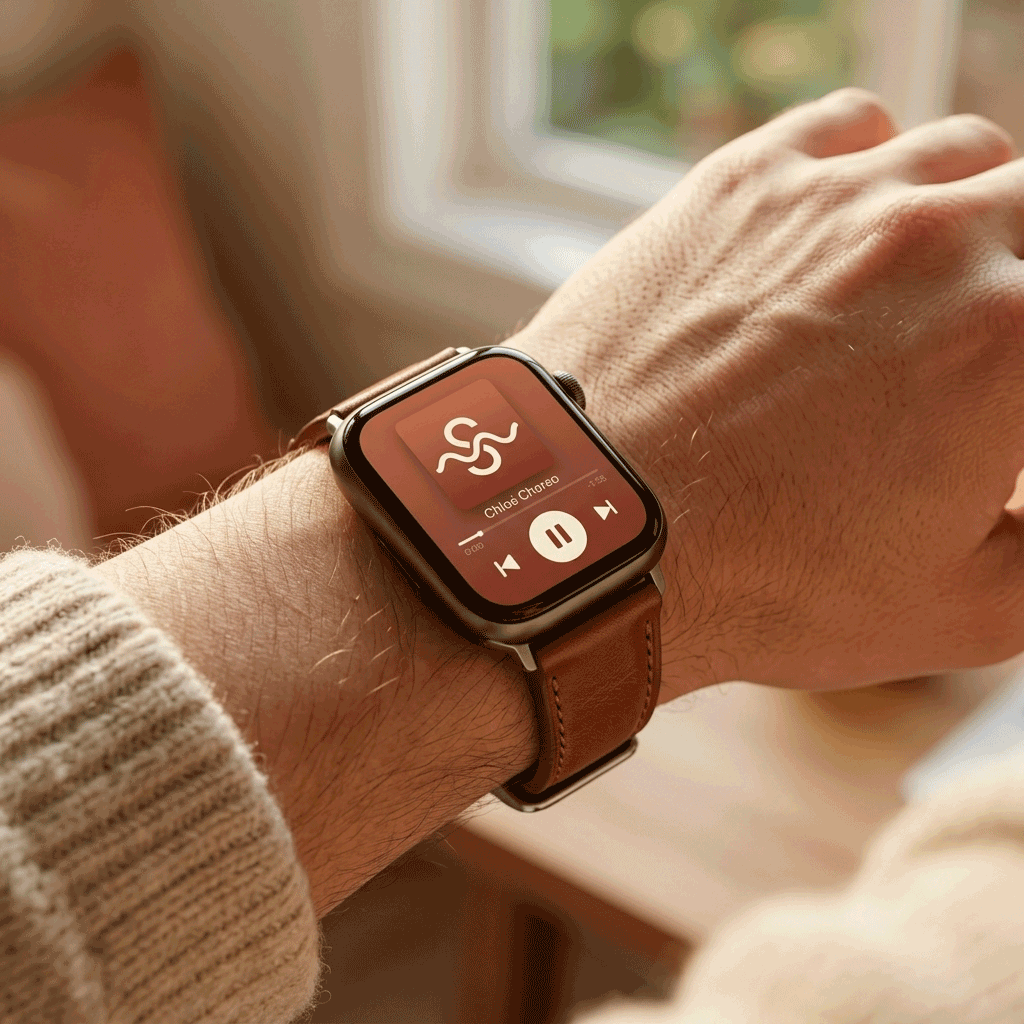
Play, pause and marker jumps straight from your smartwatch – no running back to the tablet, right in the middle of the choreography. Stay with your dancers on the floor and control the music from your wrist – with Apple Watch just as with Galaxy Watch and other Wear OS watches, with no extra app.
Your choreography in four steps
Upload a song
Upload your song and see the waveform instantly.
Set markers
Mark figures and sections in your own tracks.
Stage the formation
Drag your ensemble into place and play the transitions.
Practice & share
Tap a marker – and pass it all on as a PDF or a link.
Start free, grow as you go
No contract – cancel monthly, anytime.
Basic
€2.50 / month
- Multiple projects at once
- Notes for every figure
- Formations with transition playback
- Practice link to share
Pro
€5.00 / month
- Unlimited projects, tracks & markers
- Notes with photos, wide view
- Formations with transition playback
- PDF export
- Practice link to share
Prices in EUR – at checkout you'll see the amount in your local currency. Upgrade to Basic or Pro right inside the app, after your free start.
Frequently asked questions
What is Chloé Choreo?
Chloé Choreo is a choreography app for dance teachers. You upload your song, mark the music with named markers for every figure, and jump straight to the right spot at a tap while you practice – instead of rewinding by hand. For every figure you also stage your group's formation, and hand it all on as a PDF or a practice link.
Who is the app for?
For dance teachers, dance schools and dance groups who rehearse choreographies to music – across every dance style. Wherever a figure starts at a particular point in the song, Chloé Choreo takes you right there.
Which devices does Chloé Choreo run on?
The app runs right in your browser – on laptop, tablet and phone. Playback, pause and marker jumps can also be controlled from a smartwatch, without walking over to the device.
Can I play the music slower?
Yes. Dial the tempo down steplessly and practice difficult spots in slow motion – the pitch stays natural, the music doesn't sound distorted. The app also detects the beat and can run a metronome alongside.
Do my dancers need their own account?
No. You share a choreography as a read-only practice link. Your dancers open the link and practice at home – with no sign-up of their own.
Can I plan the formations too?
Yes. For every marker you set up your ensemble on a grid – lifts as a group, the stage edge and the mirror as guide lines. You can play back the transition between two formations: each person glides to their new position, so you see the paths and the collisions before the rehearsal. The formations travel into the PDF and – if you like – into the practice link.
Can I export my choreography?
Yes. Capture step sequences with text and images and export the whole choreography as a clear PDF – ideal for printing or sharing.
Can I try the app first?
Yes – with no sign-up at all: the live demo opens an example choreography right in your browser. Jump through the song by marker, try stop, loop, slow motion and metronome – it looks exactly like the practice link your dancers get from you.
What does Chloé Choreo cost?
You start free with one project. As your needs grow, upgrade right inside the app to Basic (€2.50/month) or Pro (€5.00/month) – cancel monthly, no contract. At checkout the amount is shown in your local currency. See Pricing above.
Ready for your next choreography?
Sign up free and choreograph your next dance with ease.